Thumbnail
Time-based thumbnail preview component for timeline scrubbing and hover previews
Quick Start: Video Track
Thumbnail can read thumbnail cues directly from your video track. Add a <track> with kind="metadata" and label="thumbnails" to your media element.
Mux provides this as storyboard.vtt:
https://image.mux.com/{PLAYBACK_ID}/storyboard.vtt
That track is cross-origin, and a cross-origin <track> only loads when the media element is CORS-enabled:
<Video src="video.mp4" crossOrigin="anonymous">
  <track
    kind="metadata"
    label="thumbnails"
    src="https://image.mux.com/BV3YZtogl89mg9VcNBhhnHm02Y34zI1nlMuMQfAbl3dM/storyboard.vtt"
    default
  />
</Video>
<Thumbnail time={12} /><video src="video.mp4" crossorigin="anonymous">
<track
kind="metadata"
label="thumbnails"
src="https://image.mux.com/BV3YZtogl89mg9VcNBhhnHm02Y34zI1nlMuMQfAbl3dM/storyboard.vtt"
default
/>
</video>
<media-thumbnail time="12"></media-thumbnail>A same-origin track needs none of this.
Import
import { Thumbnail } from '@videojs/react';import '@videojs/html/ui/thumbnail';Anatomy
<Thumbnail time={12} /><media-thumbnail time="12"></media-thumbnail>Behavior
Thumbnail resolves an image for the current time.
Supported source formats:
- Text track:
<track kind="metadata" label="thumbnails" src="...vtt"> - JSON array:
{ url, startTime, endTime? }[] - JSON sprite array:
{ url, startTime, endTime?, width, height, coords }[]
In React, text-track mode needs Player because it reads track state from the player store. JSON modes (thumbnails prop) work without a player.
The component picks the latest thumbnail whose startTime is less than or equal to the current time, then scales/clips sprite tiles to fill CSS min/max constraints while preserving aspect ratio. Tiles scale up as well as down, so a preview whose max-width grows — a container query widening it in fullscreen, say — grows with it.
Cross-origin images
Leave crossOrigin unset and the component follows the media element. A cross-origin thumbnail <track> only loads when the media is CORS-enabled, so the images its cues point at are fetched with that same mode. Skins get this for free, with nothing to thread through.
Opt out to fetch them without CORS:
<Thumbnail time={12} crossOrigin={null} />const thumbnail = document.querySelector('media-thumbnail');
thumbnail.crossOrigin = null;Leaving the crossorigin attribute off is not the opt out. An absent attribute means “follow the media element”; only the property set to null opts out.
An empty value does not opt out either. The CORS settings attribute reads anything other than use-credentials as Anonymous, so it is a value like any other.
Thumbnails you supply through thumbnails never inherit, since they need not be related to the media element at all. Set crossOrigin yourself when those images need it.
Styling
Use state data attributes for pure CSS styling:
media-thumbnail[data-hidden] {
  display: none;
}

media-thumbnail[data-loading] {
  opacity: 0.6;
}

media-thumbnail[data-error] {
  outline: 1px solid #ef4444;
}
React renders a <div> element. Add a className to style it:
.thumbnail[data-hidden] {
  display: none;
}

.thumbnail[data-loading] {
  opacity: 0.6;
}

.thumbnail[data-error] {
  outline: 1px solid #ef4444;
}
Accessibility
Thumbnail is decorative by default (aria-hidden="true"). It is intended for visual preview UX (for example, timeline hover previews) rather than primary accessible content.
Examples
Text Track (VTT)
import { Container, createPlayer, Thumbnail } from '@videojs/react';
import { Video, videoFeatures } from '@videojs/react/video';

const { Player } = createPlayer({ features: videoFeatures });

export default function TextTrackUsage() {
  return (
    <Player>
      <Container className="demo">
        <Video
          className="media"
          src="https://stream.mux.com/BV3YZtogl89mg9VcNBhhnHm02Y34zI1nlMuMQfAbl3dM/highest.mp4"
          preload="auto"
          muted
          playsInline
          crossOrigin="anonymous"
        >
          <track kind="metadata" label="thumbnails" src="https://image.mux.com/BV3YZtogl89mg9VcNBhhnHm02Y34zI1nlMuMQfAbl3dM/storyboard.vtt" default />
        </Video>
        <Thumbnail className="media-thumbnail" time={12} />
      </Container>
    </Player>
  );
}
.demo {
  position: relative;
  max-width: 280px;
}

.media {
  position: absolute;
  width: 1px;
  height: 1px;
  pointer-events: none;
  opacity: 0;
}

.media-thumbnail {
  display: block;
  width: auto;
  min-width: 0;
  max-width: 240px;
}

.media-thumbnail[data-hidden] {
  display: none;
}
<section class="demo">
  <video-player>
    <media-container>
      <video class="media" src="https://stream.mux.com/BV3YZtogl89mg9VcNBhhnHm02Y34zI1nlMuMQfAbl3dM/highest.mp4" preload="auto" muted playsinline crossorigin="anonymous">
        <track kind="metadata" label="thumbnails" src="https://image.mux.com/BV3YZtogl89mg9VcNBhhnHm02Y34zI1nlMuMQfAbl3dM/storyboard.vtt" default />
      </video>
      <media-thumbnail class="media-thumbnail" time="12"></media-thumbnail>
    </media-container>
  </video-player>
</section>
.demo {
  position: relative;
  display: block;
  max-width: 280px;
}

.media {
  position: absolute;
  width: 1px;
  height: 1px;
  pointer-events: none;
  opacity: 0;
}

.media-thumbnail {
  display: block;
  width: auto;
  min-width: 0;
  max-width: 240px;
}

.media-thumbnail[data-hidden] {
  display: none;
}
import '@videojs/html/video/player';
import '@videojs/html/ui/container';
import '@videojs/html/ui/thumbnail';
JSON Array
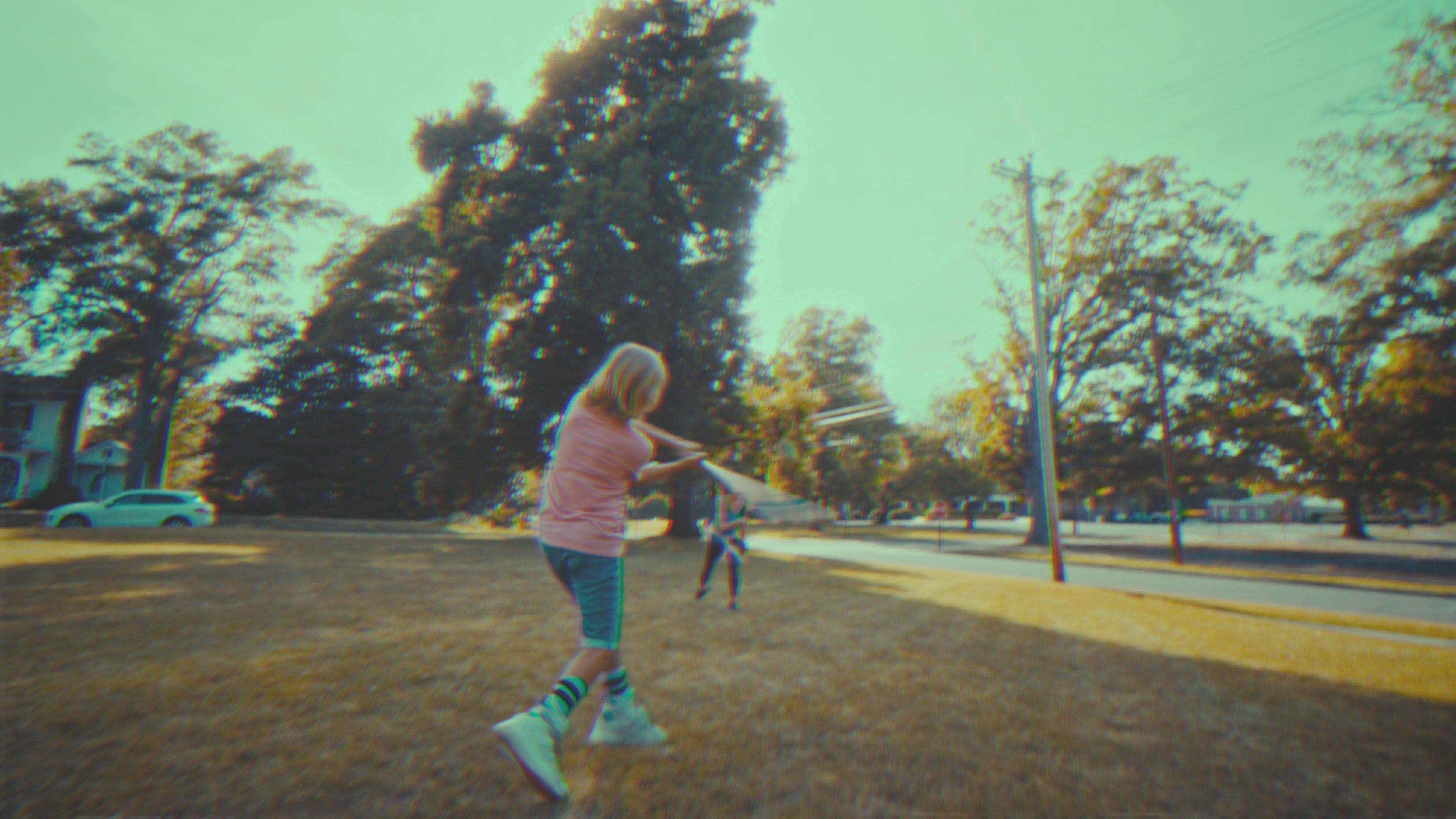
import { Thumbnail } from '@videojs/react';

const THUMBNAILS = [
  {
    url: 'https://image.mux.com/BV3YZtogl89mg9VcNBhhnHm02Y34zI1nlMuMQfAbl3dM/thumbnail.jpg?time=0',
    startTime: 0,
    endTime: 10,
  },
  {
    url: 'https://image.mux.com/BV3YZtogl89mg9VcNBhhnHm02Y34zI1nlMuMQfAbl3dM/thumbnail.jpg?time=10',
    startTime: 10,
    endTime: 20,
  },
  {
    url: 'https://image.mux.com/BV3YZtogl89mg9VcNBhhnHm02Y34zI1nlMuMQfAbl3dM/thumbnail.jpg?time=20',
    startTime: 20,
  },
];

export default function JsonUsage() {
  return <Thumbnail thumbnails={THUMBNAILS} time={12} style={{ maxWidth: 240 }} />;
}
<media-thumbnail time="12" style="max-width: 240px"></media-thumbnail>
import '@videojs/html/ui/thumbnail';

type DemoThumbnailImage = {
  url: string;
  startTime: number;
  endTime?: number;
};

type ThumbnailDemoElement = HTMLElement & { thumbnails?: DemoThumbnailImage[] };

const thumbnail = document.querySelector<ThumbnailDemoElement>('media-thumbnail');

if (thumbnail) {
  thumbnail.thumbnails = [
    {
      url: 'https://image.mux.com/BV3YZtogl89mg9VcNBhhnHm02Y34zI1nlMuMQfAbl3dM/thumbnail.jpg?time=0',
      startTime: 0,
      endTime: 10,
    },
    {
      url: 'https://image.mux.com/BV3YZtogl89mg9VcNBhhnHm02Y34zI1nlMuMQfAbl3dM/thumbnail.jpg?time=10',
      startTime: 10,
      endTime: 20,
    },
    {
      url: 'https://image.mux.com/BV3YZtogl89mg9VcNBhhnHm02Y34zI1nlMuMQfAbl3dM/thumbnail.jpg?time=20',
      startTime: 20,
    },
  ];
}
JSON Sprite Array
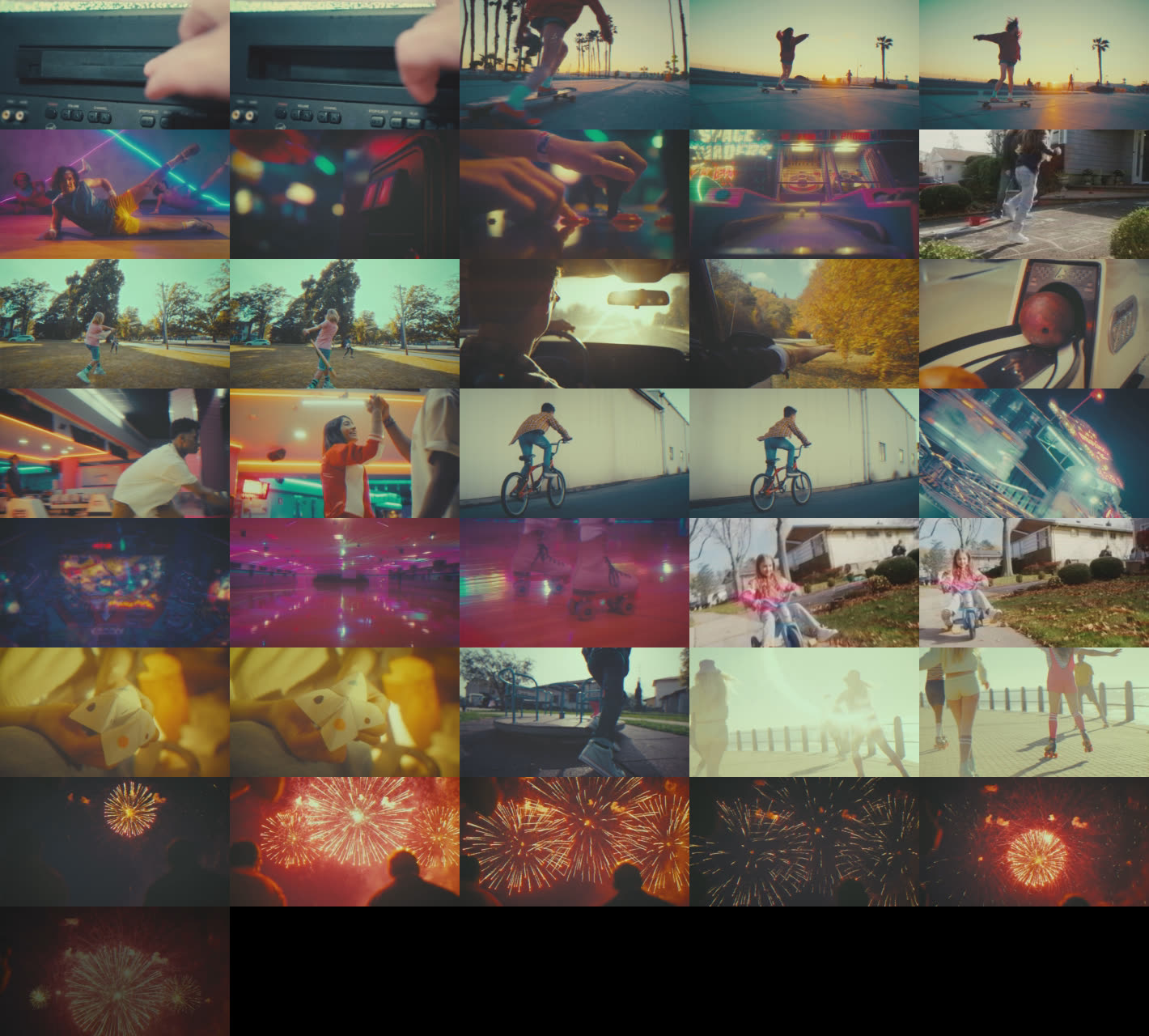
import { Thumbnail } from '@videojs/react';

const THUMBNAILS = [
  {
    url: 'https://image.mux.com/BV3YZtogl89mg9VcNBhhnHm02Y34zI1nlMuMQfAbl3dM/storyboard.jpg',
    startTime: 0,
    endTime: 10,
    width: 284,
    height: 160,
    coords: { x: 0, y: 0 },
  },
  {
    url: 'https://image.mux.com/BV3YZtogl89mg9VcNBhhnHm02Y34zI1nlMuMQfAbl3dM/storyboard.jpg',
    startTime: 10,
    endTime: 20,
    width: 284,
    height: 160,
    coords: { x: 284, y: 0 },
  },
  {
    url: 'https://image.mux.com/BV3YZtogl89mg9VcNBhhnHm02Y34zI1nlMuMQfAbl3dM/storyboard.jpg',
    startTime: 20,
    width: 284,
    height: 160,
    coords: { x: 568, y: 0 },
  },
];

export default function JsonSpriteUsage() {
  return <Thumbnail thumbnails={THUMBNAILS} time={12} style={{ maxWidth: 240 }} />;
}
<media-thumbnail time="12" style="max-width: 240px"></media-thumbnail>
import '@videojs/html/ui/thumbnail';

type DemoThumbnailImage = {
  url: string;
  startTime: number;
  endTime?: number;
  width?: number;
  height?: number;
  coords?: { x: number; y: number };
};

type ThumbnailDemoElement = HTMLElement & { thumbnails?: DemoThumbnailImage[] };

const thumbnail = document.querySelector<ThumbnailDemoElement>('media-thumbnail');

if (thumbnail) {
  thumbnail.thumbnails = [
    {
      url: 'https://image.mux.com/BV3YZtogl89mg9VcNBhhnHm02Y34zI1nlMuMQfAbl3dM/storyboard.jpg',
      startTime: 0,
      endTime: 10,
      width: 284,
      height: 160,
      coords: { x: 0, y: 0 },
    },
    {
      url: 'https://image.mux.com/BV3YZtogl89mg9VcNBhhnHm02Y34zI1nlMuMQfAbl3dM/storyboard.jpg',
      startTime: 10,
      endTime: 20,
      width: 284,
      height: 160,
      coords: { x: 284, y: 0 },
    },
    {
      url: 'https://image.mux.com/BV3YZtogl89mg9VcNBhhnHm02Y34zI1nlMuMQfAbl3dM/storyboard.jpg',
      startTime: 20,
      width: 284,
      height: 160,
      coords: { x: 568, y: 0 },
    },
  ];
}
API Reference
Props
| Prop | Type | Default | Details |
|---|---|---|---|
crossOrigin | 'anonymous' | 'use-credentials' | '' ... | — | |
| |||
fetchPriority | 'high' | 'low' | 'auto' | — | |
| |||
loading | 'eager' | 'lazy' | — | |
| |||
time | number | — | |
| |||
State
render, className, and style props.| Property | Type | Details |
|---|---|---|
loading | boolean | |
| ||
error | boolean | |
| ||
Data attributes
| Attribute | Type | Details |
|---|---|---|
data-loading | ||
data-error |